









Drift Hunters Unblocked: The Complete Guide to Playing at School or Work
Drift Hunters unblocked is a free browser drifting game that loads straight from a school Chromebook or a locked-down office computer, with no download and no filter to get past. It puts the player behind the wheel of a tunable sports car and rewards long, controlled slides instead of raw top speed, which is why it has stayed a favorite among short-break browser games for years.
This guide covers what the game is, how the controls and upgrades work, a few tips for scoring longer drifts, and what to expect from the unblocked version before a class break runs out.
What Is Drift Hunters?
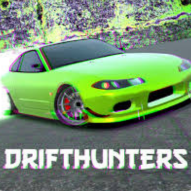
Drift Hunters is a 3D drifting simulator that runs entirely inside a web browser using HTML5. There is nothing to install and no account to create, so a player can open the page and be behind the wheel within a few seconds. The core idea is simple: pick a car, head out onto one of ten tracks, and rack up points by holding smooth, wide drifts around every corner instead of just driving fast in a straight line.
The unblocked version at drifthuntersunblocked.bitbucket.io hosts the same game without the restrictions that many school and workplace networks place on gaming sites, so it loads on connections where other car games often get filtered out.
Why Play the Unblocked Version
Standard network filters tend to block gaming domains as a group, even when the game itself is harmless. The unblocked build removes that friction while keeping the experience identical to the original release.
- Loads in seconds. The game runs on lightweight HTML5 code rather than a large download.
- No installation. Everything plays inside the browser tab, so nothing gets added to a managed device.
- Chromebook friendly. The controls and graphics run well on typical school hardware.
- No sign-up. A player can start driving immediately, with no personal information required.
- Full game, same content. The unblocked page does not strip out cars, tracks, or upgrades.
How to Play Drift Hunters
The controls are simple to learn, though holding a long, clean drift takes some practice.
- W or the Up Arrow — accelerate. Hold it down to build speed before a corner.
- S or the Down Arrow — brake or reverse, useful for shifting weight before a turn.
- A or the Left Arrow — steer left.
- D or the Right Arrow — steer right.
- Spacebar — the handbrake, which breaks traction and starts a drift.
- Shift — boost or nitrous, on cars that have it equipped.
Tips for a Longer Drift
Enter a corner at a moderate speed rather than flat out, then tap the handbrake while turning to break the rear tires loose. Counter-steer into the slide and feather the throttle to keep the car sideways for as long as possible. A long, wide drift through the whole corner scores far more than a short, sharp one, so smoothness matters more than raw speed.
Customizing Cars and Upgrades
Drift Hunters gives players real control over how their car looks and handles, split across three areas.
- Visual changes. Paint, rims, body kits, and decals let a player build a car that matches their style.
- Performance upgrades. The engine, turbo, suspension, and tires can all be upgraded to add power, grip, and handling.
- Fine-tuning. Gear ratios, camber, and brake balance can be adjusted for a setup built specifically for drifting.
The game includes over 20 customizable cars and 10 tracks that range from tight city circuits to open mountain roads with real elevation changes, so a fully upgraded car handles very differently from a stock one.
Explore More Categories
Players who enjoy Drift Hunters often branch out into similar categories on the same site. A few worth checking out:
- Car — more driving and stunt games built around vehicles.
- Racing — straight speed and lap-time games for players who want less drifting and more racing.
- Sports — quick, rule-based games for a short break.
- Multiplayer — games played against real opponents online.
- Popular — the games getting the most traffic on the site right now.
Is Drift Hunters Unblocked Safe to Use?
The game runs inside the browser itself, with no download and no software added to the device. It does not ask for an account or personal information before a session starts, which keeps the experience simple and private. As with any unblocked games site, school and workplace policies on gaming vary from network to network, so it is worth following whatever rules a school or employer has in place, since access can change without notice.
How to Start Playing
- Open the website. Go to drifthuntersunblocked.bitbucket.io and let the page load.
- Press play. Use the play button to load the game window.
- Pick a car. Start with a stock car or spend early points on a cheaper option.
- Choose a track. Ten tracks are available, each with a different layout and elevation.
- Switch to fullscreen. A fullscreen option is available for a bigger view of the track.
Frequently Asked Questions
Is Drift Hunters really free to play?
Yes. The game is completely free in the browser, with no downloads or payments required to play.
How many cars and tracks does the game have?
Drift Hunters includes more than 20 customizable cars and 10 tracks, ranging from city circuits to mountain passes with real elevation changes.
Can I play Drift Hunters on a phone or tablet?
Yes. The game is built with HTML5 and runs on most modern phones and tablets, with touch controls enabled automatically.
Do I need an account to play?
No. The game loads and starts right away, with no sign-up step at any point.
Why might the game not load on a school network?
Filtering policies differ between schools and districts. A site that loads on one network may be restricted on another, depending on how strict the local policy is.
Final Thoughts
Drift Hunters unblocked keeps a genuinely deep car customization game accessible from a school or office browser, without downloads, accounts, or long loading screens. Whether the goal is a quick handbrake turn between classes or a longer session fine-tuning a car's setup, the game rewards patience and smooth driving over raw speed. Visit drifthuntersunblocked.bitbucket.io to start drifting.